Hey there, creative friend! 😄
If you’ve been scrolling Instagram or YouTube Shorts lately, chances are you’ve seen those dreamy, ultra-clear AI photos—boys with roses, girls in fairy-light backgrounds, even couples in cinematic shots. And now you’re wondering:
“Can Gemini AI do that too?”
Yup — it totally can. And today, I’ll show you how to do it, step-by-step, no guesswork needed.
In this fun and super helpful guide, we’ll explore:
-
What is Gemini AI & how does it work
-
How to use Gemini AI prompts for Ultra HD 8K photos
-
Copy-paste ready prompts for boys, girls, couples
-
Best tips to get realistic and high-quality results
-
FAQs like: Can Gemini generate images? Is it free? How do I prompt it?
Let’s dive in, shall we?
What is Gemini AI and How It Works
Okay, let’s break this down like we’re chatting over coffee.
Gemini AI is Google’s latest and most powerful AI model — like ChatGPT but with more tools. It can answer your questions, write code, AND yes — generate or enhance images.
The image feature is based on something called “Gemini Image Generation” — a smart tool that lets you:
-
Upload your photo and enhance it
-
Describe a scene or style and Gemini draws it
-
Combine styles like fantasy + cinematic + realistic
-
Edit parts of an image like background, colors, effects
Sounds fancy? Don’t worry — you don’t need to be a designer. You just need a good prompt (and I’ll give you those).
How to Use Gemini AI for Ultra HD 8K Photos
Here’s how you can start creating gorgeous 8K images using Gemini, even if you’re a complete beginner:
Step 1: Open Gemini AI
-
Visit Gemini on your browser or app.
-
Look for the option that lets you generate or edit images.
-
You can also upload a photo if you want to enhance it.
Step 2: Write a Strong Prompt
This is where the magic happens. Your prompt tells Gemini what to create.
👉 Good prompt = great results.
👉 Vague prompt = meh results.
Here’s a winning prompt structure:
[Subject] + [Action or Pose] + [Background/Scene] + [Lighting/Style] + [Resolution] + [Details or Restrictions]
Example:
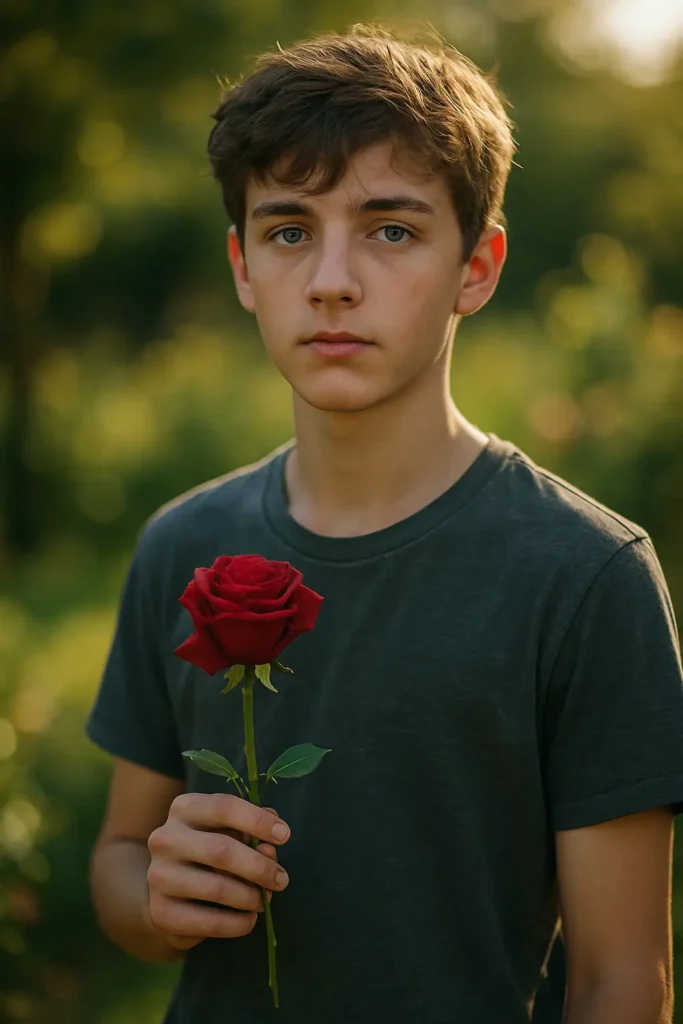
Prompt:
“Ultra HD 8K photorealistic portrait of a teenage boy standing in a sunlit garden, holding a single red rose, cinematic lighting, golden hour glow, soft background bokeh, natural skin tones, calm facial expression, realistic texture, shallow depth of field, warm and peaceful mood.”
Boom 💥 — just like that, Gemini will generate a stunning image.
Copy-Paste Gemini AI Prompts for Ultra HD 8K Photos
Below are ready-to-use Gemini AI prompts for trending styles. You can copy, paste, tweak, and try them as-is.
Gemini AI Photo Prompt Copy-Paste Trending Boy
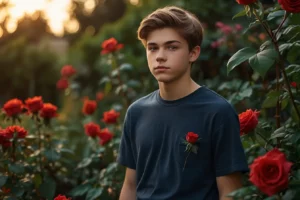
“Generate an Ultra HD 8K portrait of a teenage boy with soft hair, dreamy eyes, and glowing skin. He’s holding a red rose. Background: pastel garden at sunset. Style: cinematic, natural light, soft shadows, photorealistic. Keep the face authentic.”
Gemini AI Photo Prompt Copy-Paste Trending Girl
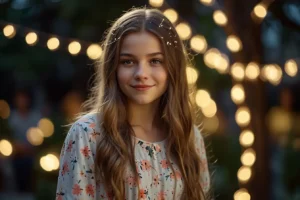
“Create an 8K Ultra HD photorealistic image of a young girl with long hair wearing a pastel floral dress. She is standing under fairy lights in a dreamy outdoor setting. Style: cinematic, soft bokeh, warm light. Natural smile, realistic features.”
Prompt for Gemini AI Boy Style
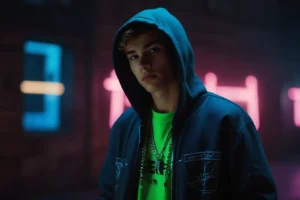
“Generate a realistic 8K HD portrait of a stylish teenage boy wearing streetwear (hoodie, sneakers, chain). Urban night setting with neon background. Moody lighting, soft depth of field, cinematic style.”
Prompt for Gemini AI Girl Style
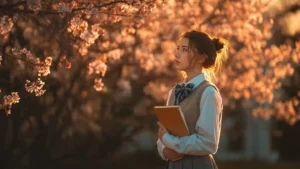
“Create a photorealistic 8K image of a young girl in a school uniform holding a notebook. Background: cherry blossom trees in spring. Warm golden hour light, soft focus, cinematic film effect.”
Prompt for Gemini for Couple

“Create an Ultra HD 8K romantic portrait of a couple walking hand in hand under fairy lights. Background: dreamy forest at night. Cinematic style, soft focus, glowing lights, natural poses.”
Gemini AI Photo Prompt Copy-Paste Trending Boy with Rose
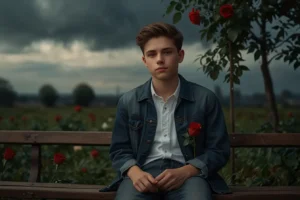
“Generate an 8K portrait of a boy sitting on a bench holding a single red rose, slight smile, moody sky in the background. Style: romantic, cinematic, high detail, photorealistic skin texture.”
Gemini Prompt for Image Generation (Generic)
“Create a high-quality Ultra HD 8K image of a person standing in a futuristic city. Neon lights, cyberpunk style, photorealistic skin, lens flare, sharp focus. Cinematic effect.”
Pro Tips for Best Gemini AI Image Results
Want to take your prompts to the next level? Try these:
-
Use Camera Language: Say things like “close-up,” “soft focus,” or “35mm lens style.”
-
Mention Lighting: “Golden hour,” “soft rim light,” “natural shadows” — these details help a lot.
-
Add Emotions or Poses: “Looking over shoulder,” “slight smile,” “gazing into distance.”
-
Set the Mood: “Cinematic,” “dreamy,” “moody,” “vibrant,” etc.
-
Use ‘No’ Instructions: “No distortions,” “no extra limbs,” “do not blur hair.”
Who Can Use Gemini AI & Why?
You don’t need to be a techie or designer. Gemini AI is made for everyone:
-
Students – Make project visuals, creative posters, story illustrations.
-
Content Creators – Design cool thumbnails, IG posts, reels, and shorts.
-
Couples – Create romantic portraits for anniversaries or DP.
-
Small Business Owners – Make banners, brochures, or product shots.
-
Artists & Writers – Generate inspiration or story covers instantly.
Real-Life Prompt Ideas
Here are some creative image prompt ideas you can try:
-
Fantasy Look: “Boy in warrior armor standing in a fantasy forest. Dramatic lighting, fireflies, 8K ultra HD.”
-
Cinematic Couple: “Boy and girl sitting on rooftop at night, city lights behind. Holding hands. Romantic, film-like tone.”
-
Student Moodboard: “Girl sitting at desk with books and laptop, warm room lighting, cozy aesthetic, photorealistic.”
-
Fairy Princess Look: “Girl in royal gown in a magical forest, glowing butterflies around. Soft, dreamy 8K portrait.”
Final Thoughts
So, now you know how to use Gemini AI Prompts for Ultra HD 8K Photos to:
-
Make stunning, realistic images
-
Generate trendy styles for boys, girls, and couples
-
Copy-paste prompts and customize them
-
Impress your friends (or followers!)
The best part? You don’t need expensive gear — just your phone or laptop and your imagination. ✨
So what are you waiting for? Try out one of these prompts today. And if you want help writing a custom prompt just for your style or idea, just ask. Let’s create something amazing together!
People Also Ask (FAQ)
Q1. How can I generate Ultra HD 8K images using Gemini AI?
Just use descriptive prompts with terms like “Ultra HD,” “8K,” “cinematic lighting,” and be specific with subject, background, and style.
Q2. What are the best prompt formats for Gemini AI?
Use: Subject + Action + Background + Style + Lighting + Resolution + Details. Be visual, specific, and clear.
Q3. Can students use Gemini AI for learning projects?
Yes! Students can use it to create story visuals, charts, cover pages, and digital art without needing design software.
Q4. Is Gemini AI safe and free to use?
Gemini is free for personal use and very safe. It follows content rules to avoid unsafe or inappropriate images.
Q5. How can I make my AI images look more realistic?
Use detailed prompts, avoid vague words, add photo-style instructions (lighting, camera angle), and refine with small changes.
Q6. Can I use Gemini AI to generate images?
Yes, Gemini AI can generate and enhance images based on your text prompts or uploaded photos.
Q7. Can Google Gemini enhance photos?
Absolutely. You can upload a photo and ask Gemini to enhance lighting, sharpness, remove background, or change style.