You know those late nights when you’ve got a lab report due, a CAD design pending, and a coding project half-done? Yeah, we’ve all been there.
That’s where AI tools come in — not to do your work for you, but to make your work way easier and a whole lot smarter.

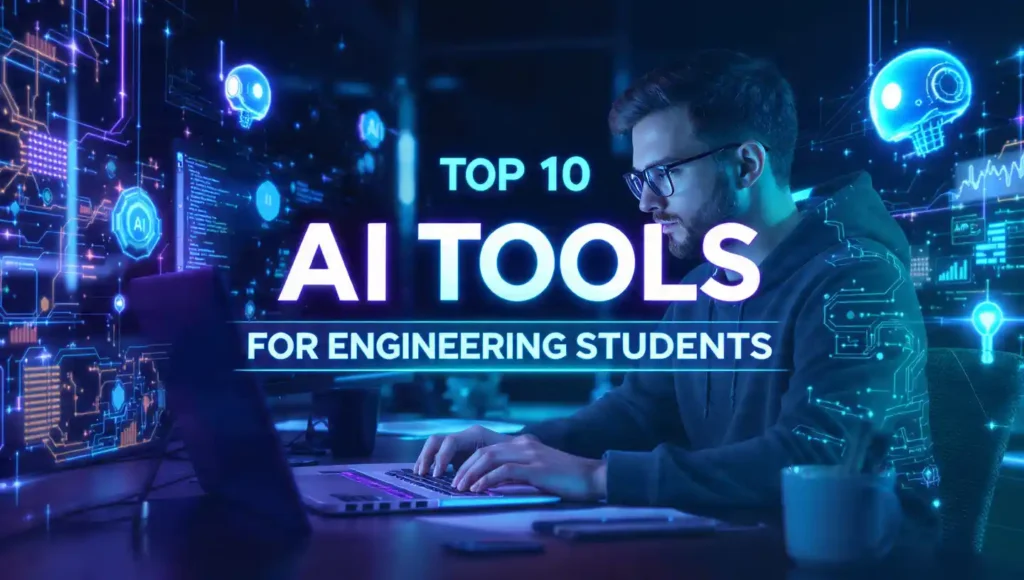
In this guide, we’ll explore the best AI tools for engineering students that can help you design, code, calculate, and study faster than ever.
And don’t worry — we’re skipping the boring jargon and focusing on tools that you can actually use in college life.
Why Every Engineering Student Should Use AI Tools
Before we dive in, let’s get one thing straight — AI isn’t just for computer scientists.
Whether you’re into mechanical, civil, electrical, or software engineering, AI has something for everyone.
Here’s why you should care:
-
Time Saver: No more spending hours debugging or redrawing the same design.
-
Smarter Learning: AI can explain complex concepts in simpler, more accessible terms.
-
Better Projects: You can automate data analysis, simulation, and even design optimization.
-
Future Ready: Knowing AI tools makes your resume shine like a polished gear ⚙️.
1. ChatGPT – Your Smart Engineering Buddy
If you still haven’t tried ChatGPT, you’re missing out big time.
It’s like having a 24/7 study partner who never complains, never sleeps, and somehow always knows the answer (well, most of the time 😅).
How Engineering Students Can Use ChatGPT:

-
Generate quick code snippets in Python, C++, or MATLAB.
-
Get step-by-step explanations of tricky formulas.
-
Generate project ideas and receive assistance with writing reports.
-
Draft emails or presentations faster than ever.
💡 Pro tip: Try using “engineering-specific” prompts to get better results. For example:
“Explain Kirchhoff’s laws like I’m 10 years old with an example.”
Or you can explore ready-made prompt ideas from Top ChatGPT Prompts for Students 2025.
2. Canva AI vs Microsoft Designer – For Stunning Presentations
We all know that half of engineering is about showing your work beautifully. Whether it’s a final-year project presentation or a class report, visuals matter.
Now, choosing between Canva AI and Microsoft Designer can be tough — both are awesome. But don’t worry, I’ve got you covered.
Read detailed comparison here → Canva AI vs Microsoft Designer
Why Engineering Students Need This:
-
Generate AI-powered design layouts for project posters.
-
Use an AI image enhancer for clear diagrams.
-
Create data visualizations and flowcharts in minutes.
If you’re not a design person (let’s be honest, most engineers aren’t 😅), these tools will save your grades and your sanity.
3. MATLAB + Simulink AI – The Ultimate Engineering Brain
For mechanical, electrical, or civil engineers, MATLAB and Simulink are already legends.
But did you know they’ve gone AI-powered?
With new AI integrations, you can now:
-
Predict outcomes using machine learning models.
-
Automate data analysis.
-
Optimize engineering simulations using AI.
Imagine not having to rerun 20 simulations manually — AI does it for you. 🤯
It’s like having a virtual lab assistant who never gets tired.
4. TensorFlow & PyTorch – For Future AI Engineers
If you’re the type of student who wants to build AI models, not just use them — welcome to the cool zone 😎.
TensorFlow (by Google) and PyTorch (by Meta) are the two biggest frameworks for AI and machine learning.
Why They’re Perfect for Engineering Students:
-
Great for data analysis and predictive modeling.
-
Use it for robotics, signal processing, or civil infrastructure modeling.
-
Tons of free online tutorials available.
Start small — build a model that predicts energy consumption, or design a simple AI bot. Who knows? It might end up as your final-year project!
5. Nano Banana AI – Your All-in-One Study Companion
If you’ve ever wished for an app that helps with everything — notes, study summaries, coding help, and more — say hello to Nano Banana AI.
It’s like combining ChatGPT, Grammarly, and Notion into one banana-flavored app 🍌 (okay, not really flavored, but you get the point).
Best Features:
-
AI-powered notes summarizer for long PDFs.
-
Generates study questions and MCQs automatically.
-
Helps create flashcards for quick revision.
Perfect for exam nights when you need to revise a 200-page textbook in one hour!
6. Gemini AI – Create Ultra HD 8K Engineering Visuals
Need realistic 3D diagrams or blueprint-style visuals?
You’ll love Gemini AI Prompts for Ultra HD 8K Photos.
Gemini AI (by Google) is next-gen — you can generate:
-
HD 3D model images of mechanical parts.
-
Ultra-clear engineering illustrations.
-
Futuristic concept art for project presentations.
Whether you’re in mechanical, electrical, or civil — visuals matter. Gemini makes your projects look professional and futuristic.
7. Notion AI – The Smart Note-Taking Genius
Let’s be real — keeping track of lecture notes, lab reports, assignments, and project ideas is chaos.
That’s where Notion AI saves your day.
It automatically:
-
Summarizes your notes.
-
Suggests tasks.
-
Writes project outlines.
-
Helps manage your semester goals.
You can even integrate it with Google Calendar to plan your deadlines like a pro.
8. ChatGPT + Excel Combo – For Data Handling Legends
Engineering = data.
And if you’re tired of endless Excel formulas, here’s the hack: use ChatGPT with Excel.
Ask it things like:
“Write a formula to calculate stress from force and area.”
“Make a Gantt chart for my project timeline.”
This combo is like having a data scientist sitting next to you during lab hours.
Top Free AI Study Assistants for Students in 2025: Study Smarter, Not Harder!
9. Career in AI Without Coding – Yes, It’s Possible!
Surprised? Don’t be. AI isn’t only for coders.
You can have an AI career even if you’re more into management, research, or design.
If this excites you, check out this awesome guide:
👉 Career in AI 2025 Without Coding
This post explains different AI career paths, from prompt engineering to data visualization, that don’t require deep coding knowledge.
10. Bonus Tools Worth Mentioning
Here are a few more AI gems every engineering student should try:
-
Grammarly AI – for polishing reports and project documentation.
-
Scholarcy / QuillBot Summarizer / SMMRY – for summarizing long research papers.
-
ChatDOC – upload PDFs and ask questions directly.
-
DeepL Write – for professional writing assistance.
-
Perplexity AI – for verified, source-backed research.
These aren’t just tools — they’re your silent partners helping you get through tough semesters with confidence.
How to Use These AI Tools Effectively
Now, here’s a small reality check — just downloading these tools won’t magically make you smarter. 😅
Here’s how to actually make them work for you:
-
Use AI for understanding, not copying.
Let it simplify complex topics, but don’t skip the learning part. -
Combine multiple tools.
For example:-
Use ChatGPT to explain a topic.
-
Use Canva AI to make a visual for it.
-
Use Notion AI to summarize and save it.
-
-
Be curious.
Keep experimenting — most AI tools evolve fast. The more you explore, the more skills you gain.
Final Thoughts
So, there you have it — the best AI tools for engineering students in 2025 that can transform how you study, design, and create.
AI isn’t replacing engineers — it’s empowering us.
It’s turning late-night struggles into smart, creative breakthroughs.
So next time you’re stuck on a project or assignment, remember:
💡 You don’t need to work harder — you just need to work smarter… with AI.
FAQs
1. Which AI tool is best for engineering students?
For all-around help — ChatGPT and Notion AI.
For design and simulation — MATLAB, Gemini AI, and TensorFlow.
2. Can AI help with engineering projects?
Absolutely! AI can automate calculations, generate diagrams, and even simulate outcomes for your projects.
3. Is it ethical to use AI in college work?
Yes — as long as you use it responsibly. Use AI to learn and enhance your skills, not to cheat or copy.
4. What are free AI tools for students?
Many like ChatGPT (Free plan), Canva AI, Nano Banana AI, and Gemini AI have free versions for students.
5. Do I need coding skills to use AI tools?
Nope! Many tools now have user-friendly interfaces — no coding required.
Still, learning the basics of Python or MATLAB will help you stand out.