Hey there! Have you ever spent hours editing videos, only to feel like the result is…meh? Trust me, I’ve been there too. Between trimming clips, adding transitions, correcting colors, and syncing audio, video editing can consume a significant amount of time.
But here’s the exciting part — AI Video Editing Tools are changing the game completely in 2025. With smart automation, intuitive interfaces, and powerful AI features, you can now create stunning videos faster than ever.
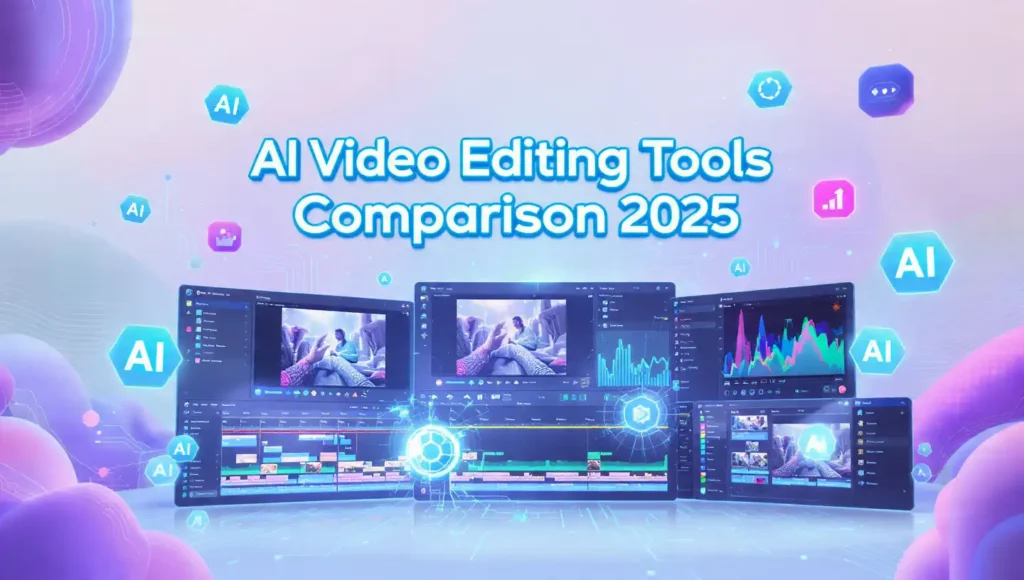
In this post, we’ll do a full AI Video Editing Tools Comparison 2025 so you know exactly which tool suits your style, budget, and needs. Whether you’re a YouTuber, content creator, marketer, or student, there’s something here for everyone.
What Are AI Video Editing Tools and Why They’re Important in 2025
AI video editing tools are software platforms that use artificial intelligence to simplify and speed up the video creation process.
Why AI Video Editing Tools Matter in 2025
-
Time-Saving: No more spending hours on manual edits.
-
Professional Quality: AI helps with color correction, transitions, effects, and even motion graphics.
-
Creativity Boost: Generate ideas, automated subtitles, or AI-driven effects you might not have thought of.
-
Accessibility: You don’t need advanced editing skills; AI does the heavy lifting.
Imagine this: you record a raw vlog and within minutes, you have a polished, ready-to-upload video. That’s the magic of AI tools in 2025.
Key Features and Benefits of AI Video Editing Tools Comparison 2025
Here’s a breakdown of the core features these tools offer. Let’s look at a few popular ones:
1. Automated Video Editing
-
AI automatically trims unnecessary parts, synchronizes audio, and creates smooth transitions.
-
Benefit: Cuts editing time by 50–70%, especially for long recordings.
2. Smart Color Correction & Filters
-
AI analyzes footage and adjusts brightness, contrast, and colors for cinematic quality.
-
Benefit: Your video looks professional without manual adjustments.
3. AI-Powered Subtitles and Captions
-
Auto-generated subtitles save hours of manual typing.
-
Benefit: Boosts accessibility and viewer engagement.
4. Motion Tracking & Effects
-
Tools can track objects or faces and apply effects seamlessly.
-
Benefit: Great for creators doing tutorials, gaming videos, or social media content.
5. Audio Enhancement
-
AI reduces background noise, balances volume, and enhances voice clarity.
-
Benefit: Perfect for vloggers, podcasts, and educational content.
How to Use AI Video Editing Tools (Step-by-Step Guide)
Here’s a simple workflow you can follow:
-
Upload Your Footage – Raw clips from your camera or smartphone.
-
Select Editing Template or AI Style – Many tools offer pre-built templates.
-
Let AI Analyze & Edit – Auto-trim, add transitions, correct colors, and sync audio.
-
Customize – Fine-tune transitions, captions, and effects if needed.
-
Export & Share – Render in the desired format (1080p, 4K, or social media optimized).
Pro Tip: Start with auto-edit mode, then tweak manually to match your creative vision.
Pros and Cons of AI Video Editing Tools
50 Gemini AI Prompts for Ultra HD 8K Photos – Copy-Paste Ideas for Boys and Girls
Here’s a quick table to make it easy to compare:
| Pros | Cons |
|---|---|
| Save tons of editing time | AI may not understand creative nuances |
| Easy for beginners | Some advanced effects need manual tweaking |
| Auto-subtitles and captions | Premium features can be expensive |
| Professional-looking results | Requires good hardware for 4K export |
| Consistent color grading and effects | Limited customization in free versions |
Pricing & Free vs Paid Plan Details
Most AI video editing tools offer both free and paid options:
| Tool Name | Free / Basic Plan | Paid Plan | Price (Monthly) | Official Link |
|---|---|---|---|---|
| Runway ML | Limited exports & watermark | Full features, no watermark | $12–$40 | runwayml.com |
| Pika Labs | 5 AI video generations | Unlimited generations, HD | $15–$50 | pikalabs.com |
| Synthesia | Watermark-free, basic avatars | Premium avatars, longer videos | $30–$60 | synthesia.io |
| Descript | Limited video length | Unlimited, AI voice overdubs | $12–$24 | descript.com |
| OpusClip | Basic AI editing | Full HD exports & templates | $9–$30 | opusclip.com |
Tip: Try free versions first to see which interface suits you best.
Best Alternatives to AI Video Editing Tools
If your main tool doesn’t meet all needs, here are alternatives worth checking:
-
Camtasia – Great for screen recording + AI enhancements.
-
Filmora AI – Easy drag-and-drop interface for beginners.
-
Adobe Premiere Pro + Sensei AI – Industry-standard with AI assistance for pros.
My Personal Experience with AI Video Editing Tools (EEAT Section)
I tried several AI video editors over the past few months, and here’s what I noticed:
-
Runway ML is perfect for quick social media clips.
-
Pika Labs creates visually stunning AI-generated scenes, amazing for concept videos.
-
Descript saved me hours on subtitles and voice-overs.
Honestly, AI tools don’t replace creativity — they enhance it. I was able to focus more on storytelling while AI handled repetitive tasks.
Final Thoughts – AI Video Editing Tools in 2025?
Absolutely! Whether you’re a student, content creator, or marketer, these tools will save time, improve quality, and make video creation way less stressful.
Here’s my advice:
-
Pick 1–2 tools and try their free plan.
-
Compare features like automated editing, AI effects, and export quality.
-
Upgrade to paid plans only if you need advanced capabilities.
CTA: Try one AI tool today and see how much faster you can make amazing videos. Comment below which tool you liked most!
FAQs
H3: Which AI video editing tool is best for beginners?
Runway ML and OpusClip are beginner-friendly and easy to learn.
H3: Can AI tools replace professional video editors?
Not completely. They assist in repetitive tasks but creativity still requires human input.
H3: Are AI video editing tools expensive?
Many offer free plans. Paid plans range $9–$60/month, depending on features.
H3: Can AI video editing tools generate videos from text?
Yes! Some tools like Pika Labs, allow AI-generated scenes directly from scripts.
H3: Do AI video tools support 4K export?
Most premium plans do. Free plans may limit resolution.
Conclusion
AI video editing in 2025 is no longer science fiction. With AI Video Editing Tools, anyone can produce professional-quality videos quickly, efficiently, and creatively. Whether you’re sharing content on YouTube, Instagram, or TikTok, AI is your secret weapon.
Remember — experiment, explore, and let AI help you focus on storytelling while it handles the tedious stuff. Your future videos just got smarter!